



View Your Energy Usage
Your energy usage history is available to view for free on the cooperative's online portal, SmartHub, through the Usage Explorer. The Usage Explorer features several dynamic and detailed usage tools conveniently located in the same portal where members view and pay bills and manage contact information.
- View and export detailed energy usage data, including 15-minute intervals up to eight hours prior to the current time.
- Track energy usage history across days, months, billing cycles, and more.
- View unbilled consumption history to track how your upcoming billing statements will look and compare your usage across cycles.
- See how energy behavior changes impact your consumption and demand.
- Members with rooftop solar can view their production and net metering data alongside their usage history.
Residential Members (Non-Solar)
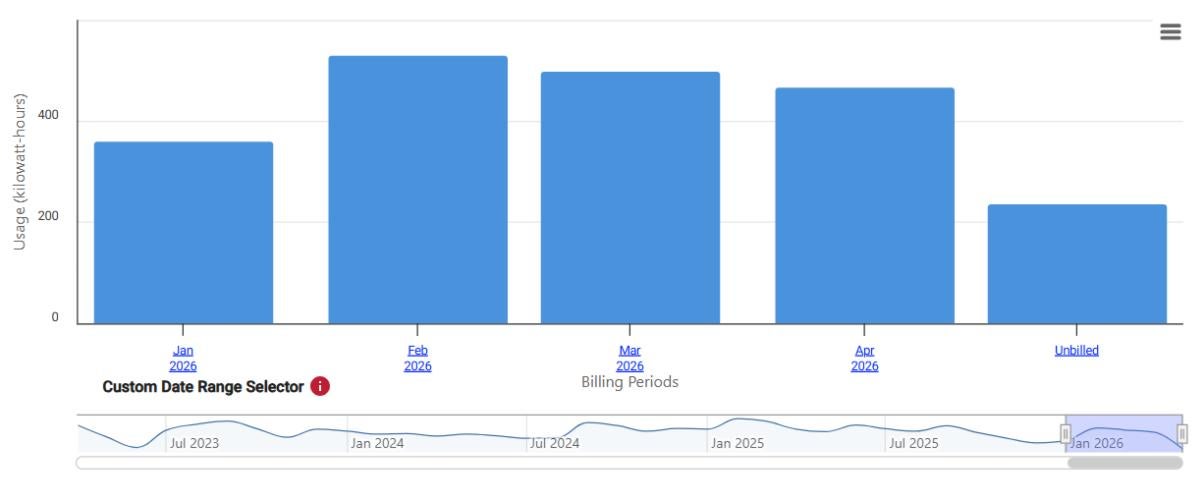
Tracking your energy usage history is easy with the Usage Explorer. Members on one of United Power's residential rates who do not have rooftop solar can learn how to navigate the tool here.
Solar Net Metered Members
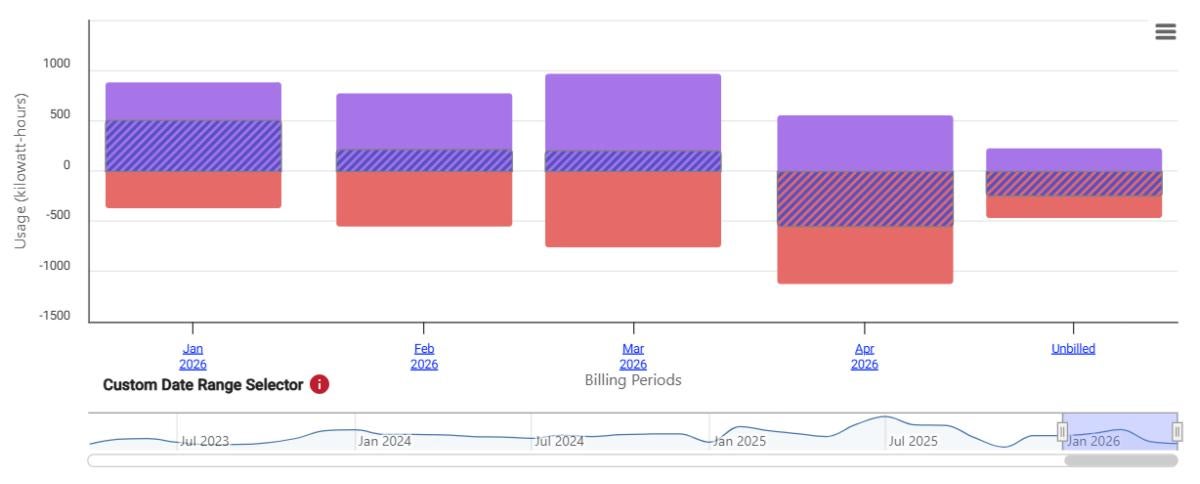
Learn how to navigate the Usage Explorer if you have a residential rooftop solar system. Usage Explorer tracks production across billing cycles and allows members to monitor their net in monthly, daily, or interval views.
Additional Usage Explorer Tools
Usage Comparison
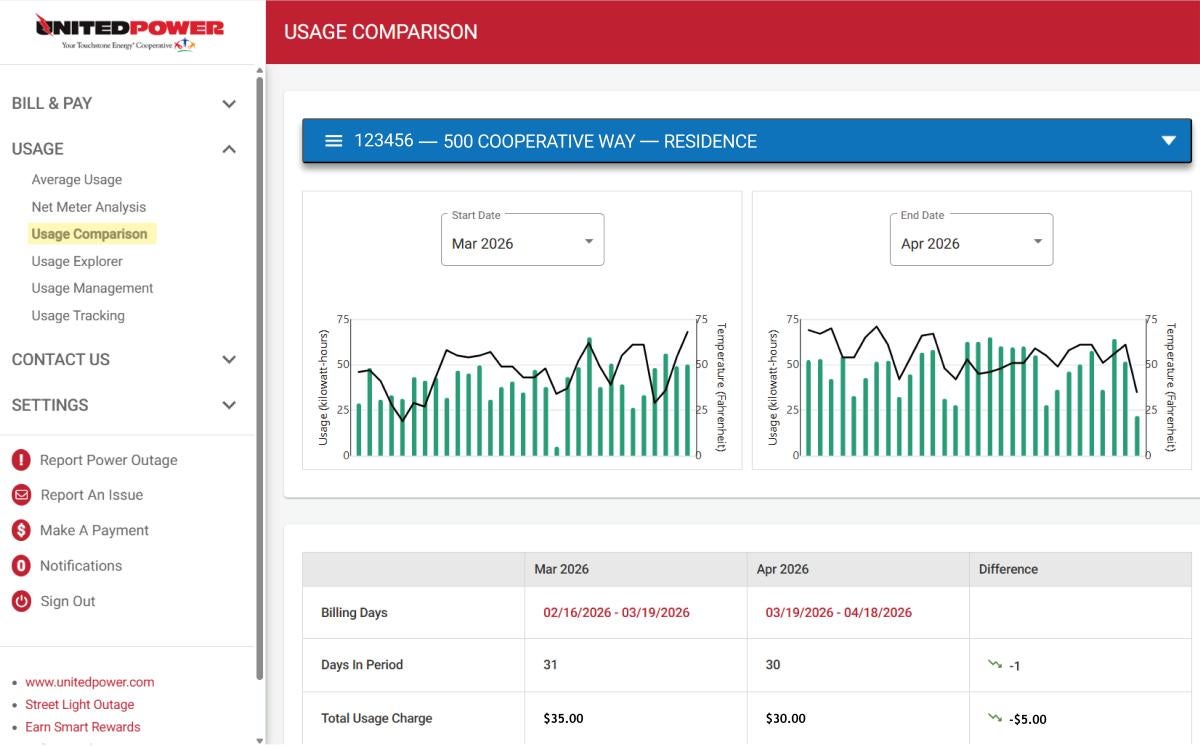
Compare your energy usage across billing cycles in SmartHub with the Usage Comparison tool. View month-to-month data to see how your usage has changed, including differences calculated across months.
Navigate to the Usage Comparison tool by clicking Usage in the SmartHub menu bar.
Usage Management
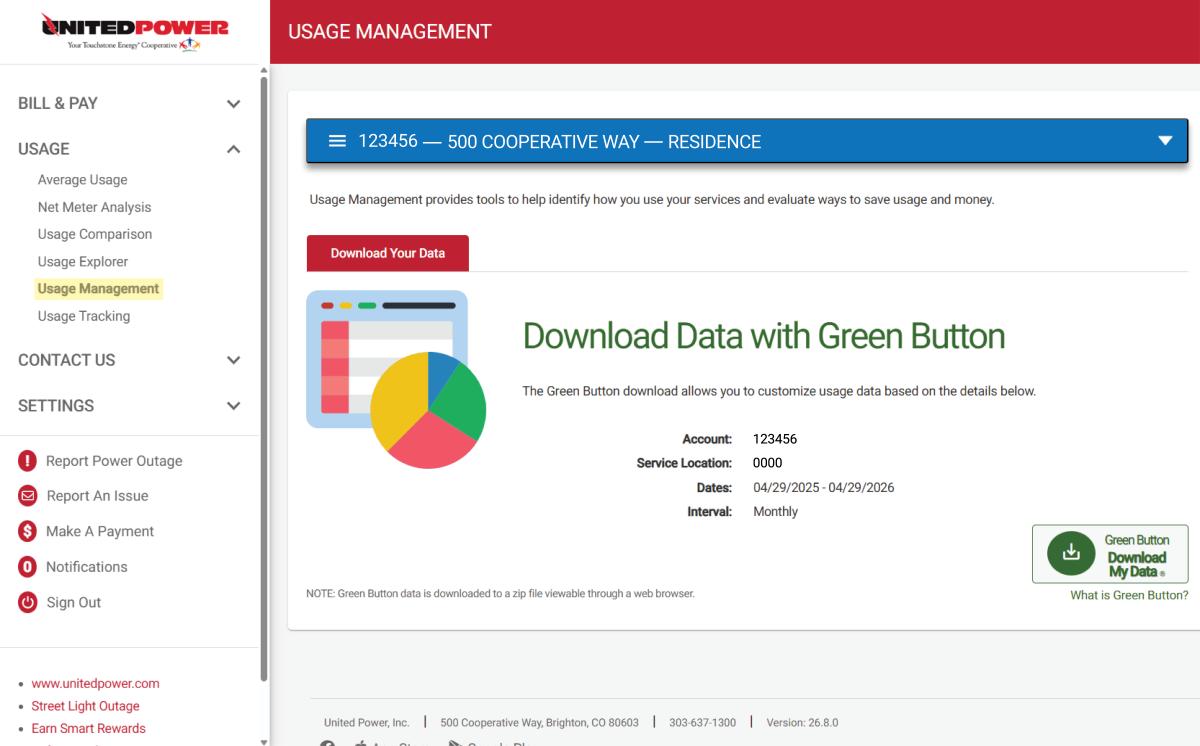
Download your energy usage data with Green Button. Data can be exported in monthly, daily, or even interval periods across a specified time range in an easy-to-ready Excel file format.
Navigate to the Usage Management tool by clicking Usage in the SmartHub menu bar.
Note: Toggle the file format to CSV to get an easily downloadable file.
Usage Tracker
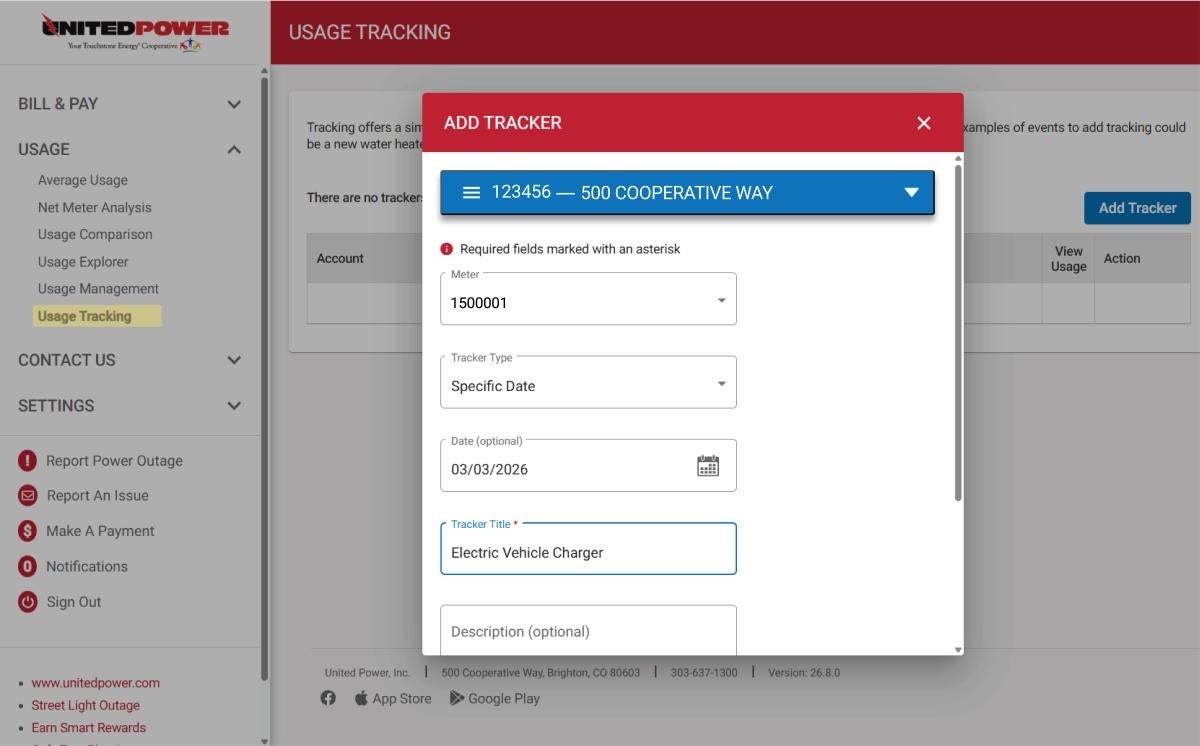
Add trackers to your usage history to note energy efficiency upgrades (e.g., heat pumps) or the addition of a large energy consumer (e.g., an electric vehicle charger) to see how it is impacting your consumption.
Navigate to the Usage Tracker tool by clicking Usage in the SmartHub menu bar.